
Dear friends & witnesses,
Today’s post is a one-shot, written throughout today, about today. It is about one Sunday of many along a tedious and unending digital housekeeping journey, because the future is now, and least-depressing version of that means we’re all multi-factor-authenticating and performing increasingly elaborate IAMNOTAROBOTs, sometimes multiple times per day, for the rest of our lives.
I have a task in my task manager, it’s called “Delete These Accounts!” and it contains a looooong list, only 10% done and it feels like the % gets smaller the more I work on it because it’s each time I spend a few hours on such digital housekeeping I inevitably discover at least one more stray account I had forgotten about. Every time I check a thing, I add at least one new checkbox. Today I worked toward removing Y—T— and Vimeo accounts, with partial success.
Although I cannot [yet] delete my personal Y—T— account entirely because it’s integrated with my personal G—e account, which is still used to log in to some essential platforms (work in progress), I did successfully remove any need for my personal Y—T— account, and removed a whole bunch of files from my personal G—eDrive ✅. I most used it to stream music, so today I did a lot of library work around getting the music on my local drive and into an organized and archivable format, while supporting the artists I rely on so much for setting the vibe throughout my day. I got files from individual artists’ B—c—s, P—eons, and homepages where possible.
I deleted my Vimeo account ✅! This included updating video embeds (including the one on an earlier post) to rather use my servus.at NextCloud download links.
Longer-term I’m interested in Hyper8 but the day to explore that was not today, so that’s the checkbox that got added. (Originally, the item was “Vimeo → Hyper8” but instead I focused on data archiving more generally, and had other things to do besides.)
So today’s “Delete This Account!” ended up being mostly re-learning to burn disks, this time blu-rays. While a CD can hold less than a gigabyte of data, the BDs are 25GB per disk (effectively ~23GB because of the file system overhead), and a bit less than 1EUR each, so it’s still a somewhat costly and tedious, but, in my opinion, preferred to streaming. I won’t go that much into the costs or technical consideration; only reflect on the archiving experience conceptually and aesthetically, at least for now / in this post.
Compression
There was a talk I saw in person in summer 2023 that was very moving and memorable. It was, among other things, about how digital artifacts degrade and disappear. The audience was assured there were recordings; I watched the talk again a year later online. Then, another year on, in 2025, I woke up for some reason in a cold sweat out of my mind with worry that this talk would be gone from the conference archive. I was generally having a bad time that week, so I didn’t have the emotional wherewithal to research a better solution than screen recorded a pretty low-res embed on the conference site, with speaker audio. As a result, the quality is all around very poor, but filesize enormous.
It’s taken - as you can see by the evidence of this post coming out in summer 2026 - yet another year to reduce the video quality and make it louder. It sounds, let’s say, vintage, but the content is there!
ffmpeg -i input.mov -c:v libx264 -crf 28 -preset slow -af “loudnorm=I=-14:LRA=11:TP=-1.5” -c:a aac -b:a 128k “output.mp4”This is an example of the kind of precious media that clutters my various cloud accounts, flash drives, and external disks. I spent most of the morning collating this media, annotating it, and in some cases reducing its footprint. The music I didn’t need to organize but I did need to download from multiple sources.
This was all pretty hands-on, and I got happily distracted by making the images for this post, using ffmpeg which has been one of my favorite creative tools lately. Although today’s tasks were quite simple, I have come to realize that whenever I think “can ffmpeg ….?”, an internet stranger is already way ahead, and has ensured ffmpeg has the ability to do whatever I could think of, so the answer is, yeah, sure, why not.
ffmpeg -i vimeo_deepfried.png -vf "scale=1100:220,eq=saturation=3:contrast=2:brightness=0.1,unsharp=5:5:3,noise=alls=40:allf=t,scale=iw/10:ih/10,scale=1100:220:flags=neighbor,format=yuv420p" -q:v 30 vimeo_deepfried.jpg && ffmpeg -i vimeo_deepfried.jpg -vf "eq=saturation=3:contrast=2,noise=alls=20:allf=t" vimeo_deepfried.png

ffmpeg is an open-source and free tool, maintained since 2000 by volunteers, relying on donations. I have no association with it, am just one of the many delighted users:
ffmpeg is one of the foremost pillars of achievement in free software. It has touched the lives of every reader, whether they know it or not. If you’ve ever watched TV, or gone to a movie, or watched videos online, or listened to a podcast, odds are that ffmpeg was involved in making it possible. It is one of the most well-executed and important software projects of all time. (-Drew DeVault)
Library
Although most of the precious 23GB was multimedia, I also threw in a lot of texts. These are compact by volume, but very carefully curated, often annotated, and also in their own way precious. I used an llm go from a listing of all the files, which has mostly descriptive but rather inconsistent filenames, to a .bib file with mostly correct references (the llm flow was to use web look ups and ask me for clarification and confirmation). I also used it to get a rough overview of topics across the drive, which I didn’t verify but it does sound about right:
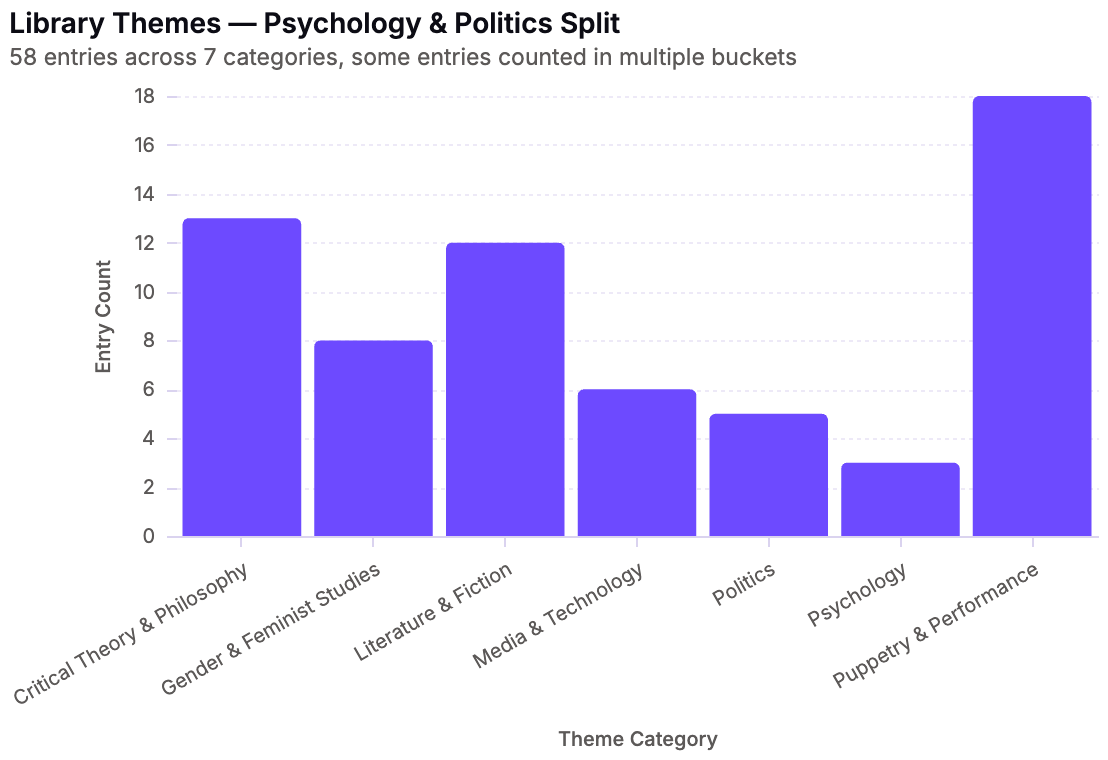
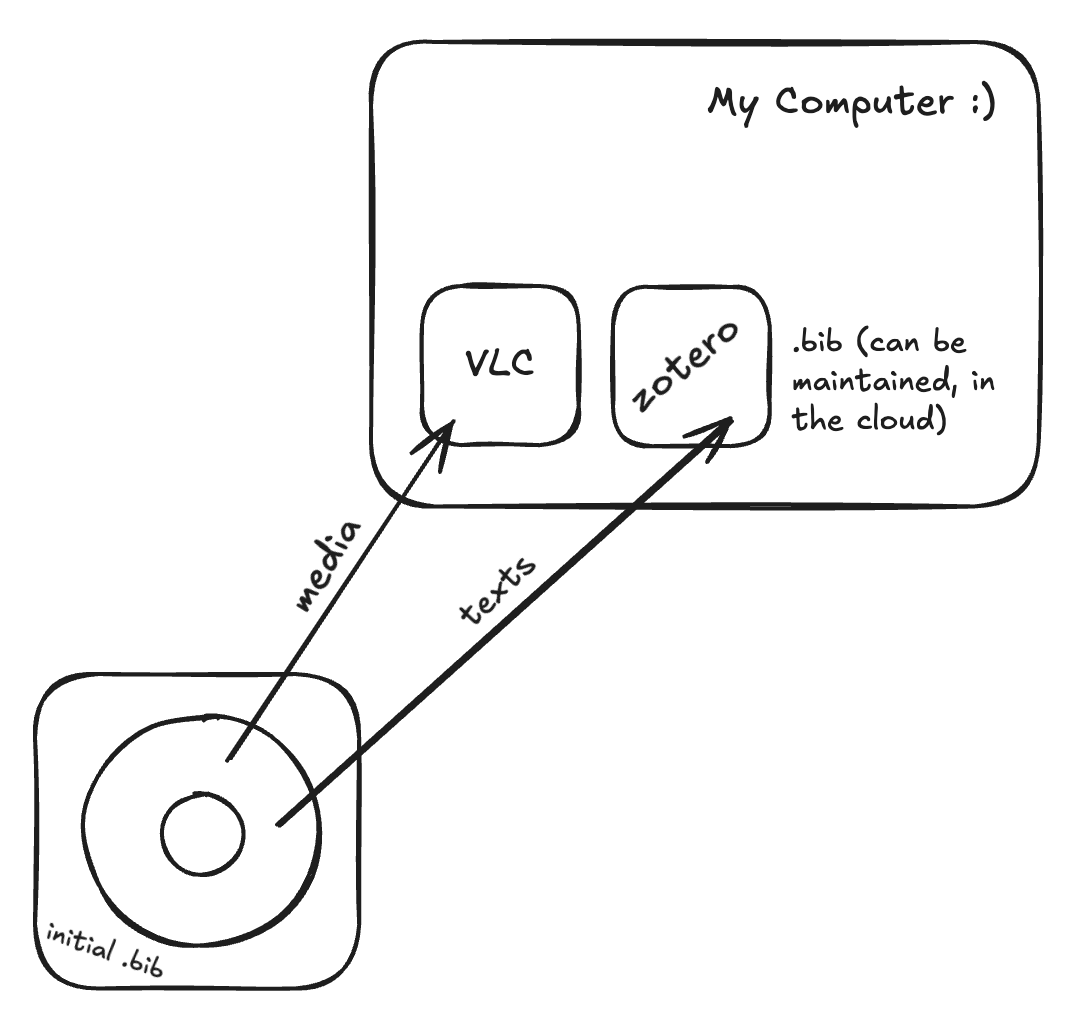
Just like media can be played directly from the disk (without copying it onto my computer), the .bib file is a way for me to be able to annotate and maintain a complete listing of all the texts across multiple volumes. I think smoothing that part of the process will take some work, to be honest. But one time in the 90s I experienced a multi-disk interactive encyclopedia and I’ve been chasing that high ever since. (You may think I’m joking, but I am not.)
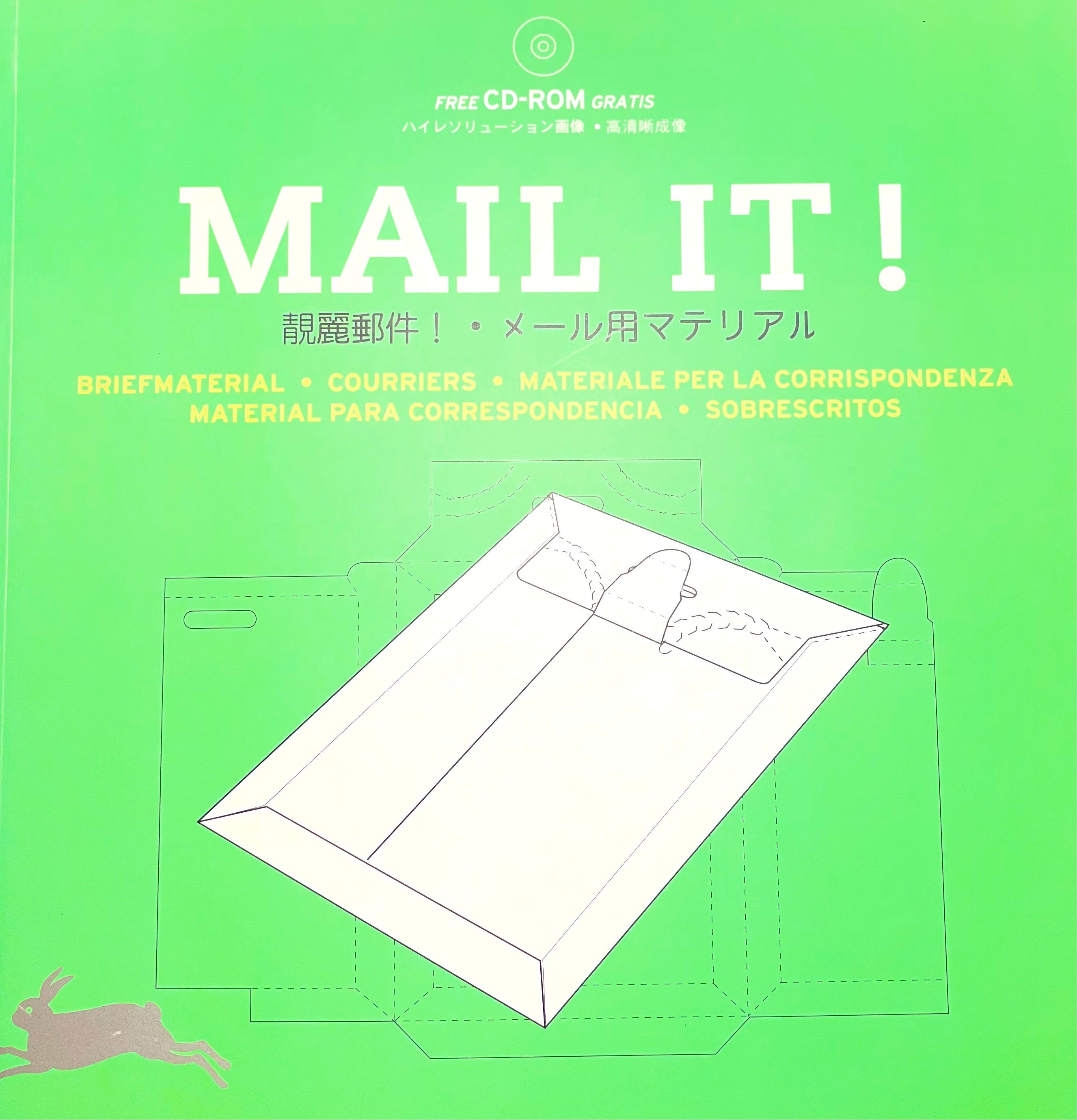
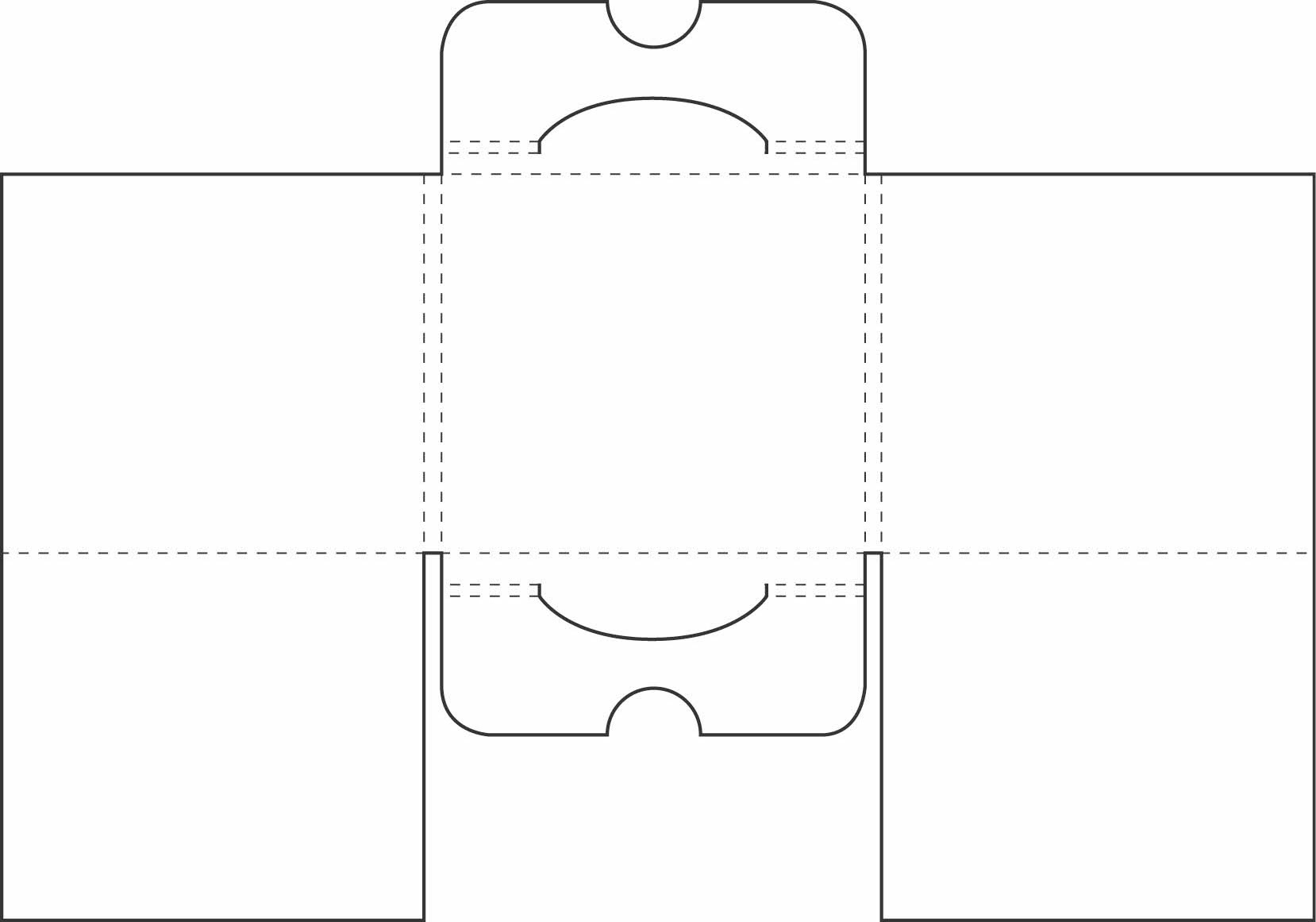
If at this point you’re wondering, what’s the plan here? Am I planning to get a vintage CD rack for this extravagant lifestyle? No, because, you see, in 2018 or 2019 I found this 2004 book about how to fold envelopes and it has multiple patterns for CD sleeves:
Secrets
I had a good time of it all, overall. Several things made me smile and want to share them with a friend who passed away a while ago. So at the top level of my precious archive (first one in ~20 years! big deal tbh!!) I added an encrypted memory trigger.
openssl enc -aes-256-cbc -salt -pbkdf2 -in SECRETIMAGE.jpg -out inmemoriam.enc The file inmemoriam.enc would be at the top level of the volume and the user could run the following, and be prompted for a password:
openssl enc -d -aes-256-cbc -pbkdf2 -in inmemoriam.enc -out SECRETIMAGE.jpgIf they get the password right, then they’d see the photo. I didn’t write down the password anywhere, obviously, it’s a phrase very particular to my memory of that person. Maybe I’ll forget the password or the details, though I hope I won’t. I have forgotten whether this person has ever seen the MAIL IT! book. I had found it around the time of our acquaintance, or around the time of their passing, I can’t recall if it was before or after. I do remember which street in Berlin I found it on, among a stack of older design literature; the street was near where they worked. I can feel some fuzzy memory of us both having a chuckle about the book, as much as I feel an equally fuzzy memory of finding the book while still actively grieving.
I expect the details, including the password, to probably/eventually fade, but I wouldn’t forget who it’s about, I don’t think. In any case, I have that photo in many locations. When I first found out that person had died, there was nothing especially for me to do, so I flew into a panic about losing one specific photo. In fact, I never did find the original file, but another friend had a lower-res version from a chat history. I’ve since saved it in many places, including as a printed copy. Because of the obsessive archiving, I think it would be impossible to forget the image itself, but also, here, the purpose of the image is not anymore the image, but a memory. Even locked and illegible, it will still serve as memory.
It’s now the end of the day; I spent most of my morning and afternoon on the archiving task, then worked on another project with a friend before returning to finish in the evening. It is striking, after years of SSDs in personal computers, how physical the process is, the sound and feel of the disk spinning, the sheer duration of the process. I managed to burn one (1) BD, and I did give up trying to burn on my daily-use Mac; the easiest was to use the Windows machine. It does feel amazing to have removed 50GB+ from my daily-use computer, and similar volumes of apparently unnecessary files from various cloud storages. Both physical local media and cloud/streaming have environmental costs, and they are not easy to compare, but I hope one aspect emerges from these reflections: the physical local media make it much more apparent how much data is there, and where it is, what it is really for, and how it can be less without really losing much at all.
Until next time,
I wish you well,
Kit